
Quick Verdict
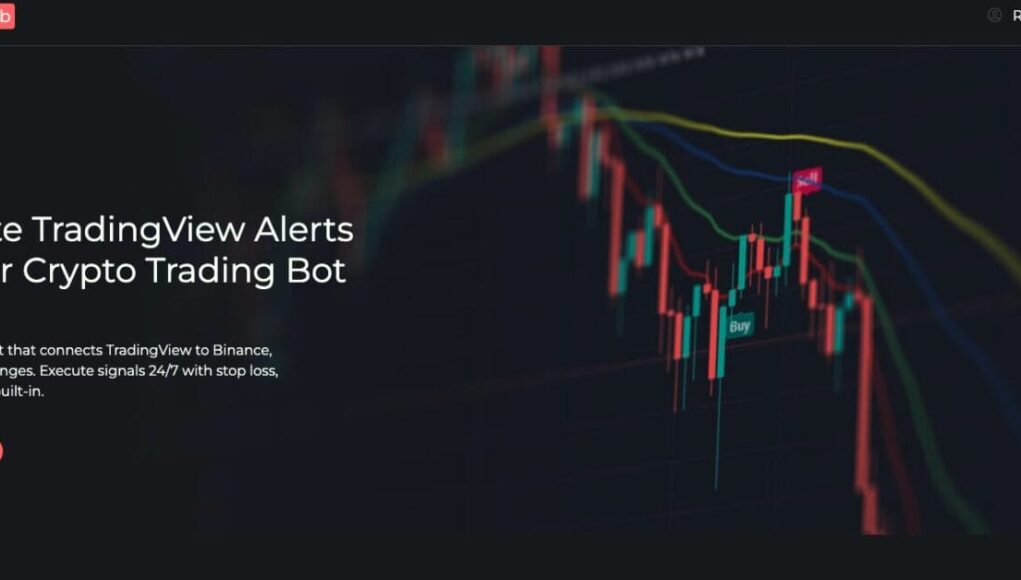
TradingView Hub (TV-Hub) remains the top choice for technical traders who want to automate Pine Script strategies without the bloat of social trading platforms. With a 7-year track record of zero security incidents and a unique “free-via-broker” pricing model, it is the most cost-effective bridge between TradingView and major exchanges like Bybit and Binance.
Introduction
TradingView has firmly established itself as the global standard for cryptocurrency charting. Millions of traders spend hours perfecting their Pine Script strategies, tweaking indicators, and setting up alerts. But there is a massive gap in the workflow: TradingView doesn’t actually place the trade for you.
This “execution gap” is where profitability often dies. You build a system that works perfectly in backtesting, but in reality, you miss the alert because you’re driving, sleeping, or simply hesitating.
Since 2019, this platform has acted as the invisible bridge between TradingView alerts and exchange APIs. Now in 2026, with over 35,000 users and a history of surviving multiple market cycles, we are taking a fresh look. In this review, we dissect whether TV-Hub is still the king of webhook automation or if newer competitors have taken the crown.

What is TradingView Hub?
At its core, TradingView Hub (TV-Hub) is a specialized automation tool designed to solve one specific problem: executing TradingView alerts on real exchanges instantaneously.
Unlike bloated “all-in-one” platforms that try to be a portfolio manager, social network, and exchange all at once, TV-Hub focuses entirely on latency and execution reliability.
The Process in a Nutshell:
- Your TradingView strategy generates a Signal.
- TradingView sends a Webhook to TV-Hub.
- TV-Hub translates the JSON command.
- The order is executed on your Exchange (Binance, Bybit, etc.).
This entire sequence typically happens in under a second. The platform operates 24/7, meaning your scalping strategy keeps working while you sleep.
How It Works: Setup & Execution
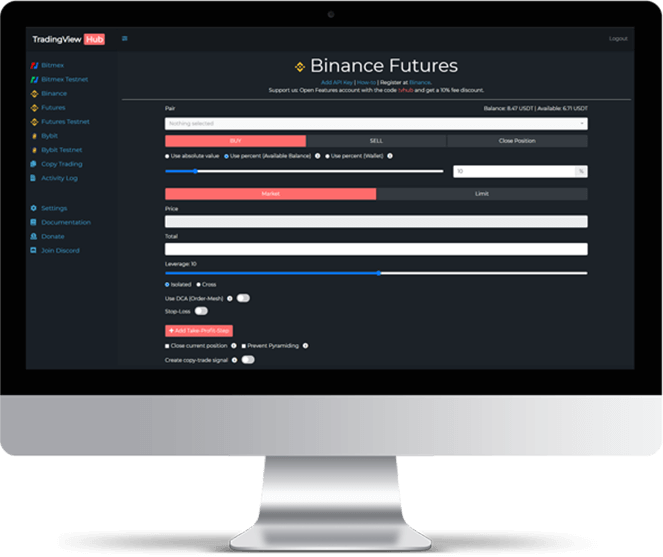
While the technology “under the hood” is complex, the user setup is surprisingly straightforward.
1. The Exchange Connection
You start by generating API keys on your exchange of choice (e.g., Bybit, Binance, OKX).
- Security Note: You only enable “Trading” permissions. You never enable “Withdrawal” permissions. TV-Hub encrypts these keys with AES-256, but even if they were compromised, a hacker couldn’t steal funds—only execute trades.
2. The JSON Command (The Secret Sauce)
This is where TV-Hub separates itself from basic bots. Instead of clicking buttons to set up a trade, you send a JSON command inside your alert.
A simple buy command looks like this:
code JSON

downloadcontent_copy

expand_less

{

  "exchange": "bybit",

  "pair": "BTCUSDT",

  "isBuy": true,

  "isMarket": true,

  "units": 0.01

}
Why is this better? Flexibility. You can dynamically change leverage, order types, and stop losses directly from your code without logging into the bot.
3. The Handshake
In TradingView, you simply paste your unique TV-Hub webhook URL (https://alerts.tv-hub.org) into the alert settings. Once the alert fires, TV-Hub handles the rest.
Key Features That Stand Out
After testing the platform for several weeks, three features stood out as legitimate game-changers.
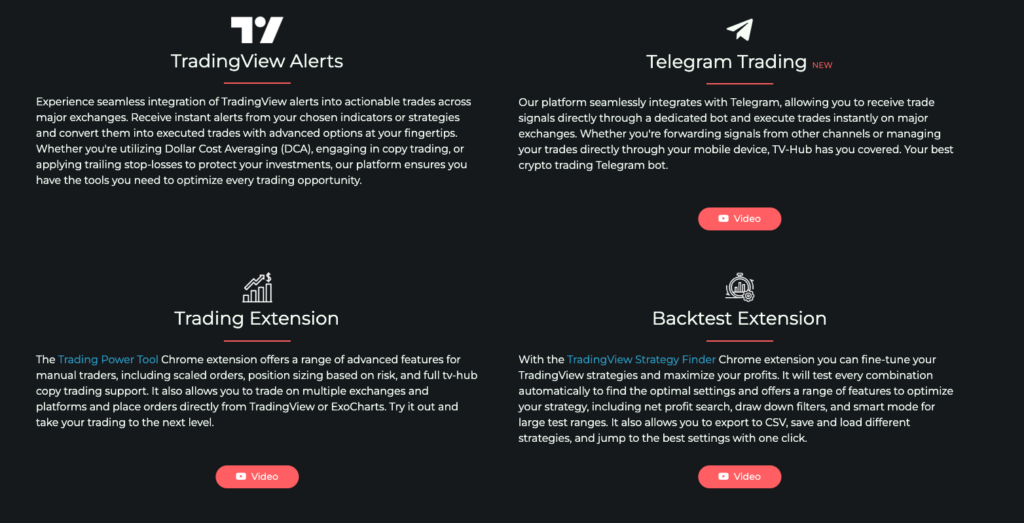
1. The Chrome Extension & Backtesting
Most webhook services are “blind”—you send a signal and hope it works. TV-Hub offers a Chrome Extension that overlays directly onto your TradingView charts.
- Real-time Logic: You can execute manual trades via the extension to test your API connection.
- Strategy Backtesting: This is critical. The extension allows you to run your strategy on historical data as if it were live. It simulates how TV-Hub would have executed those past trades, helping you catch errors before risking real capital.
2. Advanced Order Types (DCA & Trailing)
Standard exchange orders are often limited. TV-Hub allows you to construct complex algorithmic orders inside a single text command.
- Dollar Cost Averaging (DCA): You can program the bot to buy more if the price drops by X%.
- Composite Exits: Set a trade to close 50% of the position at 2% profit, and the remaining 50% at 5% profit.
- Auto-Breakeven: Automatically move your Stop Loss to your Entry Price once a certain profit target is hit.
3. Exchange-Specific Optimization
TV-Hub isn’t a “one size fits all” wrapper. It has custom integrations for specific exchanges.
- Binance: Dedicated endpoints to handle high throughput.
- Bybit: Deep integration including master account detection and free demo trading.
Supported Exchanges
TV-Hub focuses on quality over quantity, supporting the six major liquidity hubs:
| Exchange | Spot | Futures | Demo Mode? |
| Bybit | Yes | Yes | Yes (Free) |
| Binance | Yes | Yes | Yes |
| OKX | Yes | Yes | Yes |
| Bitmex | No | Yes | Yes |
| KuCoin | Yes | Yes | No |
| Coinbase | Yes | Yes | No |
Pricing: How to Get It for Free
This is arguably the platform’s strongest selling point. While they offer standard monthly subscriptions (paid in crypto), they utilize a Broker Rebate Model.
The Free Access Hack:
If you create a new account on a partner exchange (like Bybit or OKX) using TV-Hub’s referral link, you get Premium Access for free .
- You pay: Standard exchange trading fees.
- The Exchange pays: A commission to TV-Hub.
- You get: A free automation bot.
For traders who are already planning to trade on these exchanges, this makes the software effectively cost-free.
Security: Is It Safe?
In the crypto world, longevity is the best trust signal. TradingView Hub has been operating since 2019.
- Track Record: Zero reported security breaches or fund losses in 7 years.
- Encryption: Enterprise-grade AES-256 encryption for API keys.
- Permissions: Strict “No Withdrawal” policy on API keys.
- Logs: Every single signal and execution is logged. If a trade fails, you know exactly why (e.g., “Insufficient Balance”), rather than being left in the dark.
Pros and Cons
Pros
- Extremely Low Latency: Optimized for speed.
- Granular Control: The JSON system allows for infinite strategy complexity.
- Cost: Free via the exchange referral program.
- Reliability: 99.99% uptime through multiple bull/bear cycles.
- Backtesting: The Chrome extension is a unique advantage.
Cons
- Learning Curve: The JSON command system is powerful but requires a slight learning curve for non-coders.
- Crypto-Only Payments: If you buy a subscription, you must pay in crypto (no credit cards).
- No Mobile App: It relies on Telegram bots for mobile notifications and control.
Comparison: TV-Hub vs. The Rest
| Feature | TradingView Hub | 3Commas | WunderTrading |
| Primary Focus | TradingView Automation | Social Trading / Bots | Copy Trading |
| Execution Speed | High (Direct) | Medium | Medium |
| Pricing | Free (Partner Model) | High Monthly Fee | Moderate |
| Customization | Extreme (JSON) | Templates | Moderate |
| Target User | Algo Traders | Beginners | Copy Traders |
If you want a pretty dashboard to copy other people’s trades, 3Commas is fine. If you want to automate your unique strategy with precision, TV-Hub is superior.
Final Review: Is It Worth It?
TradingView Hub occupies a specific niche and dominates it. It does not try to be a social network. It is a utility tool designed for traders who demand that their strategies execute perfectly, every time.
For Pine Script developers and serious technical analysts, the combination of granular JSON control and reliability makes it the best tool on the market. The fact that you can access the premium features for free simply by using a partner exchange makes it a “no-brainer” recommendation.
Rating: 4.8/5
Best For: Algo-traders, Pine Script developers, and Scalpers.
Get Started: You can try the TradingView Hub 7-day trial or sign up via Bybit for permanent free access.